

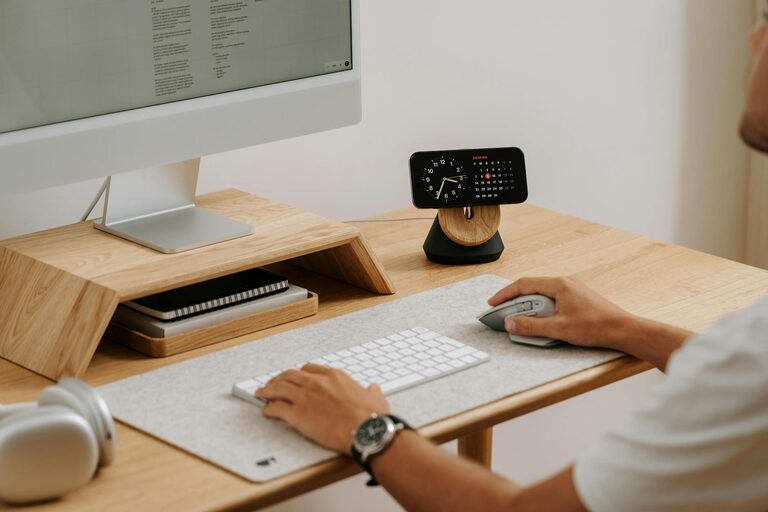
Working from home has become a common part of many people’s lives. Whether you’re a full-time remote worker, a freelancer, or someone who occasionally works at home, having a productive home office environment can make a significant difference in your focus and efficiency. Here, we’ll explore practical tips to help you create a workspace that supports your work goals while ensuring comfort and balance.
Choose the Right Location
Selecting where to set up your home office is the first step in creating a productive environment.
– Quiet and Low-Traffic Area: Try to find a space in your home away from noise and distractions. This helps maintain concentration during work hours.
– Natural Light: If possible, pick a spot near a window. Natural light improves mood and reduces eye strain.
– Separate Space: Ideally, use a separate room for your office to mentally separate work from personal life.
Invest in Ergonomic Furniture
Comfort is key to maintaining productivity throughout the day.
– Quality Chair: Use an adjustable chair with proper lumbar support to keep your posture healthy.
– Functional Desk: Choose a desk with enough surface space for your computer, documents, and other work essentials.
– Standing Options: Consider a sit-stand desk or a desk converter if you want to alternate between sitting and standing.
Organize Your Workspace
An organized workspace can reduce stress and help you focus.
– Declutter Regularly: Keep only necessary items on your desk. Store other items in drawers or shelves.
– Use Storage Solutions: Bins, file organizers, and drawer dividers can keep papers and supplies tidy.
– Cable Management: Use cable clips or sleeves to prevent wires from tangling and creating a messy look.
Optimize Lighting
Good lighting reduces eye fatigue and keeps you alert.
– Layered Lighting: Combine natural light with overhead lighting and task lamps.
– Adjustable Task Light: Use a desk lamp you can direct to your work without glare on your screen.
– Avoid Harsh Lights: Prefer soft, warm lights over overly bright fluorescent bulbs.
Minimize Distractions
Limiting interruptions helps you stay in the flow.
– Set Boundaries: Let family or housemates know your work hours so they can minimize interruptions.
– Turn Off Notifications: Silence non-essential notifications on your computer and phone.
– Use Noise Control Tools: Headphones or white noise machines can block distracting background sounds.
Personalize Your Space
A workspace tailored to your tastes can boost motivation.
– Add Plants: Indoor plants improve air quality and bring a calming natural element.
– Inspiring Decor: Include artwork, motivational quotes, or photos that make the area inviting.
– Comfort Items: A cozy throw, cushion, or preferred mug can add comfort.
Manage Your Time Effectively
Creating a productive environment includes managing how you work.
– Designate Work Hours: Stick to set hours to build routine and discipline.
– Use Timers: Techniques like Pomodoro encourage focused work intervals with breaks.
– Take Breaks: Short breaks help avoid burnout and keep energy levels high.
Keep Technology Updated
Reliable technology supports smooth workflow.
– Internet Connection: Use a fast and stable internet connection to avoid delays.
– Ergonomic Accessories: A comfortable keyboard and mouse reduce strain.
– Backup Solutions: Regularly back up work files to avoid loss.
Maintain Good Air Quality
Fresh air helps keep your mind clear.
– Ventilate Daily: Open windows to let in fresh air whenever possible.
– Air Purifiers: Consider a small air purifier if your room tends to feel stuffy.
– Avoid Clutter: Clean spaces reduce dust and allergens.
—
Creating a productive home office environment is about combining comfort, organization, and focus-friendly elements. By setting up a dedicated space, investing in ergonomic furniture, and managing distractions, you can foster a work atmosphere that supports your best performance day after day. Remember, small adjustments can lead to big improvements, so start with a few changes today and adapt your space as needed.