

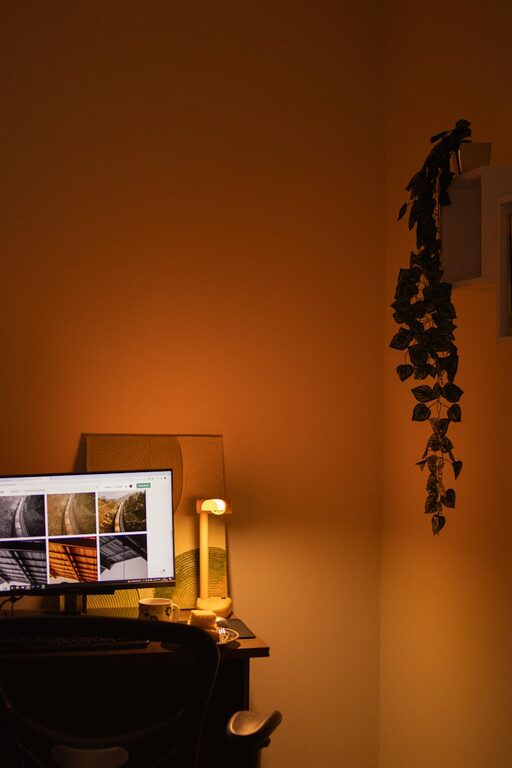
Creating a home workspace that balances comfort with functionality is key to maintaining productivity and well-being when working from home. Whether you have a dedicated room or just a small corner, there are many ways to make your workspace inviting and efficient. This guide will walk you through practical tips to help you set up a cozy and functional home office.
1. Choose the Right Location
Consider Natural Light and Quietness
Selecting the best spot for your workspace is the foundation for comfort and focus. Ideally, pick a location near a window to benefit from natural light, which can boost your mood and reduce eye strain. Also, choose a quieter area of your home to minimize distractions.
Think About Space and Privacy
Even a small nook can work well if it offers some privacy. Avoid high-traffic areas where interruptions are frequent. If possible, use room dividers or curtains to separate your work area from the rest of your living space.
2. Invest in a Comfortable Chair and Desk
Ergonomics Matter
Spending hours in a poorly designed chair can cause discomfort or even health issues. Choose an adjustable chair with good lumbar support to keep your posture healthy. Your desk should be at a height that allows your arms to rest comfortably while typing.
Optimize Desk Space
Keep your desk surface neat and organized. Only keep essential items on your desk to leave room for working comfortably. If you need more space, consider additional shelves or storage units nearby.
3. Lighting: Balance Functionality and Warmth
Use Layered Lighting
Combine overhead lighting with a task lamp to reduce eye strain during focused work. A desk lamp with adjustable brightness can be especially helpful for evening work.
Add Warmth with Ambient Lights
Soft, warm-colored bulbs create a cozy atmosphere. String lights or small LED lamps can add charm and make your workspace feel inviting.
4. Organize Your Workspace for Efficiency
Use Storage Solutions
Keep your supplies and documents organized using drawers, shelves, or bins. Label containers for easy access. This system helps reduce clutter and saves time searching for items.
Declutter Regularly
At the end of each workday, tidy your area to maintain a clean and stress-free environment. This habit helps you start fresh the next day.
5. Personalize Your Space
Add Comforting Elements
Incorporate items that make your workspace pleasant, such as a cozy throw blanket, a small plant, or a favorite mug. These touches can boost your mood and motivation.
Include Inspirational Decor
Post motivational quotes, artwork, or photos that inspire you. Just be mindful not to overcrowd your space with too many decorative items.
6. Manage Technology Efficiently
Keep Cables Under Control
Use cable clips or organizers to prevent tangled wires. A clutter-free desk improves both safety and aesthetics.
Ensure Reliable Equipment
Invest in a good-quality computer, keyboard, and mouse that suit your work needs. Regularly update your software to keep everything running smoothly.
7. Maintain Good Air Quality and Temperature
Air Flow Is Important
If possible, keep a window open occasionally or use an air purifier to maintain fresh air. Poor air quality can affect focus and energy levels.
Control Temperature Comfortably
Use a fan or heater depending on the season. Being too hot or too cold can distract you from work.
8. Set Boundaries and Schedule Breaks
Separate Work from Relaxation
If your workspace is in a common area, clearly define your working hours to household members. This helps minimize interruptions.
Take Regular Breaks
Stand up, stretch, or take a short walk every hour. Breaks help reduce fatigue and improve concentration.
—
Designing a cozy and functional home workspace doesn’t mean you need to spend a lot of money or have abundant space. By focusing on comfort, organization, and personalization, you can create an environment that supports your best work and feels like a pleasant place to be. With these tips, your home office can be both a productive workstation and a relaxing retreat.