

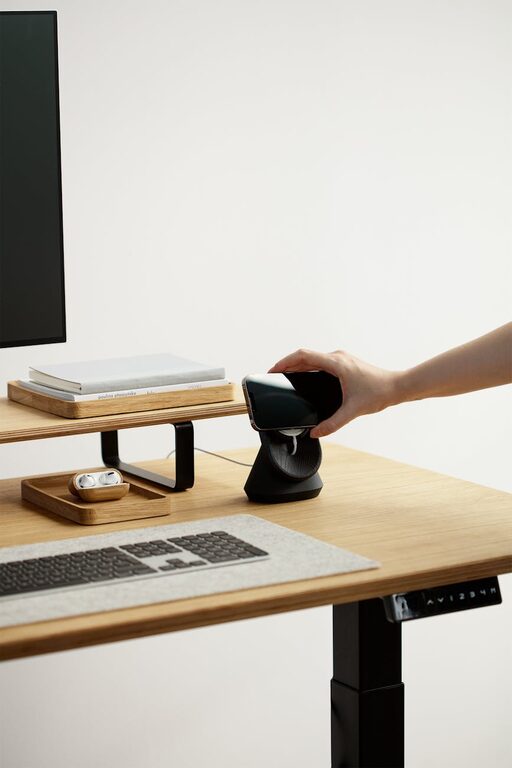
Creating a home office that feels cozy yet boosts your productivity can make a significant difference in your work-from-home experience. With more people working remotely, having a dedicated space that encourages focus without sacrificing comfort is essential. Whether you have a small corner or an entire room, these tips will help you transform your space into a haven for both comfort and efficiency.
Choose the Right Location
Start by selecting a spot that suits your work style and daily routine.
– Natural Light: Position your desk near a window if possible. Natural light improves mood and alertness.
– Quiet Area: Pick a location away from noise and distractions, such as busy living rooms or kitchens.
– Space Availability: Consider available space that can comfortably accommodate your desk, chair, and storage without feeling cramped.
Invest in Comfortable and Functional Furniture
Your furniture plays a crucial role in your comfort and productivity.
– Ergonomic Chair: Opt for a chair that supports good posture with adjustable height and lumbar support.
– Appropriate Desk: Choose a desk with enough surface area for your computer, notes, and supplies. Standing desks or adjustable desks are great options.
– Storage Solutions: Shelves, drawers, or filing cabinets help keep your workspace organized and clutter-free.
Optimize Lighting
Proper lighting reduces eye strain and creates a warm atmosphere.
– Task Lighting: Use desk lamps with adjustable brightness to focus on your work.
– Ambient Lighting: Soft overhead lights, such as LED bulbs with warm tones, create coziness.
– Avoid Glare: Position your screen and light sources to minimize glare and reflections.
Personalize Your Space
Adding personal touches makes your office inviting and inspiring.
– Decor: Include plants, artwork, or photos that bring joy and motivation.
– Colors: Use soothing colors like soft blues, greens, or earth tones to promote calmness.
– Textiles: Plush rugs, cushions, or a cozy throw blanket add warmth and texture.
Organize for Efficiency
A tidy workspace encourages clearer thinking and faster work.
– Declutter Regularly: Keep only essential items on your desk.
– Use Organizers: Trays, pen holders, and cable management tools reduce mess.
– Digital Organization: Keep your computer desktop and files well-organized to prevent frustration.
Set Boundaries to Maintain Focus
Defining clear work boundaries helps balance home life and work productivity.
– Dedicated Workspace: Use the office area only for work to mentally separate tasks.
– Work Hours: Set specific start and end times to avoid overworking.
– Minimize Distractions: Use noise-cancelling headphones or background music if needed.
Incorporate Technology Wisely
Technology can enhance your workflow when used thoughtfully.
– Reliable Internet: Ensure a strong, stable connection.
– Tools and Accessories: Invest in essentials like a quality keyboard, mouse, and monitor.
– Cable Management: Use clips or ties to keep cables organized and prevent tangling.
Keep Comfort in Mind
Comfort aids concentration and reduces fatigue.
– Temperature Control: Use a fan, heater, or humidifier to maintain a pleasant temperature.
– Break Area: If space allows, have a small cozy spot for breaks to recharge.
– Hydration and Snacks: Keep water and healthy snacks nearby to stay energized.
Regularly Refresh and Update Your Space
Your needs may change over time, so periodically reassess your workspace.
– Rearrange Layout: Change desk position or decor for a fresh perspective.
– Upgrade Equipment: Replace worn furniture or outdated technology as needed.
– Incorporate Feedback: Listen to your own experience to improve comfort and efficiency.
—
Creating a cozy and productive home office doesn’t require a complete overhaul. Small, thoughtful changes can make your workspace both inviting and efficient, helping you enjoy your work-from-home routine and get more done. Use these tips as a guide to build a home office that fits your lifestyle and keeps you motivated every day.