

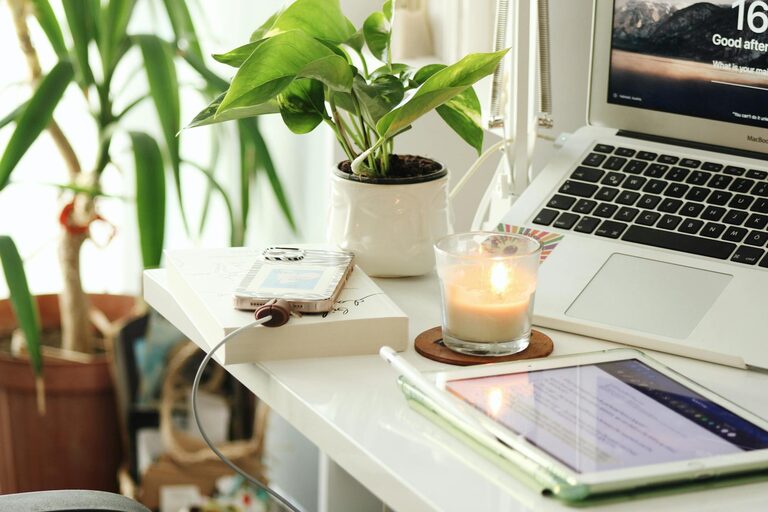
Working from home has become increasingly common, and creating a workspace that is both relaxing and productive can make a big difference in how you feel and perform throughout your workday. A well-designed home office helps reduce stress, improve focus, and maintain a healthy work-life balance. Here are some practical tips to set up an ideal home workspace.
Choose the Right Location
Selecting a specific area in your home for work is crucial. Ideally, choose a quiet spot with minimal distractions. This could be a spare room, a corner of your living room, or even a dedicated nook.
– Natural light: Work near a window if possible. Natural light boosts mood and energy.
– Privacy: Make sure the space allows you to concentrate without interruptions from family or roommates.
– Ventilation: Fresh air circulation keeps the environment pleasant and helps you stay alert.
Invest in Ergonomic Furniture
Comfort is key when you spend long hours at a desk. Ergonomic furniture supports your posture and prevents common issues like back pain and eye strain.
– Chair: Choose an adjustable chair with lumbar support.
– Desk: Find a desk that fits your work needs and body height. Consider a standing desk option for variety.
– Monitor placement: Position your screen at eye level to reduce neck strain.
Organize Your Desk and Supplies
A clutter-free workspace promotes a clear mind. Use smart storage solutions to keep everything accessible but tidy.
– Desk organizers: Use trays, holders, or drawers for pens, papers, and small tools.
– Cable management: Keep cords neat with clips or sleeves to avoid mess.
– Essential supplies only: Limit what you keep on the desk to what you use daily.
Personalize Without Overcrowding
Adding personal touches can make your workspace inviting and motivating, but beware of overdoing it.
– Plants: Small indoor plants add color and improve air quality.
– Art and photos: Display one or two items that inspire or relax you.
– Colors: Use calming colors like blues and greens to create a soothing atmosphere.
Control Lighting and Noise Levels
Good lighting and low noise levels contribute directly to your ability to focus and feel comfortable.
– Supplemental lighting: Use desk lamps to brighten your workspace, especially in the evening.
– Noise control: Use noise-canceling headphones or a white noise machine if your space is noisy.
– Window treatments: Install blinds or curtains to reduce glare and control sunlight.
Set Boundaries and Routine
Establishing boundaries helps maintain a healthy separation between work and personal life.
– Work hours: Stick to a consistent schedule to avoid overwork.
– Breaks: Take regular breaks to stretch and rest your eyes.
– Dedicated space: Use your workspace only for work to mentally switch off when done.
Optimize Technology Setup
Ensure your technology supports productivity and minimizes frustration.
– Reliable internet: A strong connection is essential.
– Peripherals: Use a good quality keyboard, mouse, and webcam if needed.
– Backup: Keep important files backed up to prevent data loss.
Maintain Cleanliness and Freshness
An uncluttered and clean environment supports mental clarity and well-being.
– Daily tidying: Spend a few minutes each day clearing your desk.
– Air quality: Open windows or use an air purifier for freshness.
– Scent: Light a candle or use essential oils with mild, pleasant fragrances.
Final Thoughts
Creating a relaxing and productive home workspace is about balancing comfort, functionality, and personal style. Taking time to organize, personalize, and maintain your workspace can lead to better focus, less stress, and a more enjoyable work-from-home experience. Remember, the best workspace fits your unique needs and helps you do your best work each day.